The data in the Overton Index is available in a machine-readable format through our REST API, which sits between our database and the web application. The API returns JSON and requires an API key.
This article will cover how to access and the API and interpret results.
For our technical documentation on the API and how to find your API key, please see our Swagger document.
See: [Technical Documentation for Overton's REST API (Swagger)](https://app.overton.io/swagger.php?)
Our general guide on the using our API will be helpful for users wanting to understanding how the API works and what it can be used for.
See: [Guide - How to use Overton's API](https://www.overton.io/guide-how-to-use-overtons-api)
Access
API access does not come enabled by default on accounts, and your subscription type determines access.
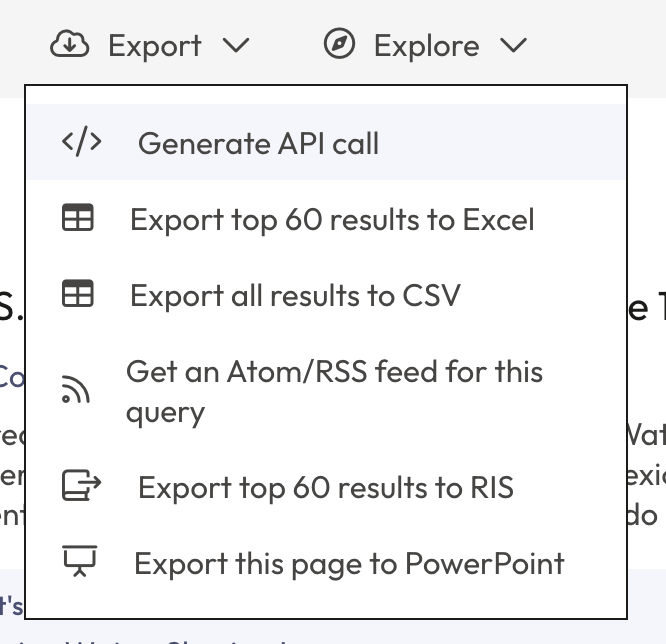
To check if your account has API access, go to the grey action bar above the search results and hover over ‘Export’. If you see the option ‘Generate API call,’ then your account has API access.
If you do not see this option and want to know if API access is available, please contact [email protected].
To generate the API call for the page you are currently viewing in the app, click ‘Generate API call’.
Best practice and return codes
Call the API no more than once per second. We enforce rate limiting with some leeway—occasional faster calls are fine, but if you exceed the limit too often, the system may automatically block your API key.
When rate limiting occurs, the API returns a 429 HTTP status code and empty results.
Interpreting results
Search API results are generally broken up into three sections:
The query
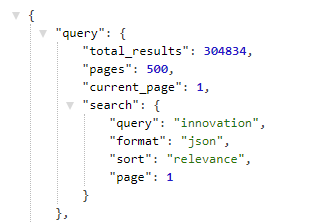
Image of the results section of the JSON
The query object shows the number of pages that the search can return (note that your account may include a page limit).
To select a page use the &page=x parameter, where x is a valid page number.
Facets
The Facets key contains roll-up information for various fields. This is what is displayed in the left hand sidebar on Overton’s search pages.
Please note that facets aren’t available as default, if you would like to add these to your query by default then let us know by contacting [email protected].
Results
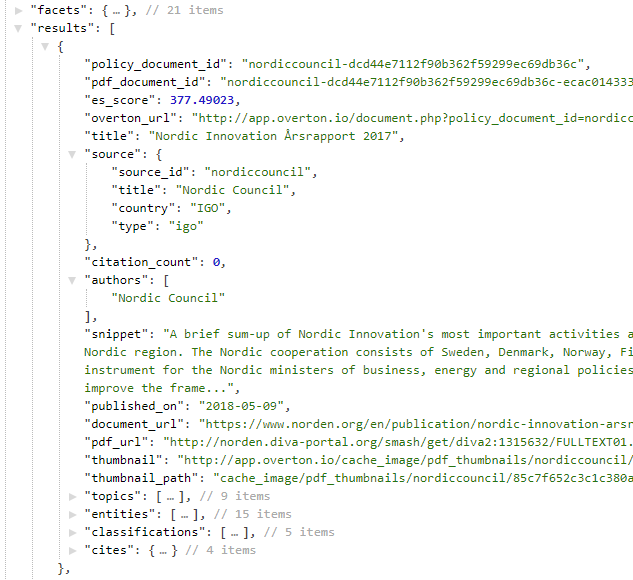
Image of the Facets section of the JSON
The Results key contains the actual results of your query.
The **pdf_document_id **is the unique key for the document: a single policy document may contain multiple PDFs when e.g. there’s an executive summary, or different language versions.
**document_url **is the landing page for the policy document (the web page that typically shows authors, an abstract etc.), while **pdf_url **is the link to the actual PDF.
For licensing reasons the API does not include full text content of PDFs. To obtain this you must use the **pdf_url **field and fetch and process the relevant PDF yourself. For some documents **pdf_url **is not present, or is the same as the document_url: these are policy documents that are only available in HTML and so data must be scraped from there.
Please do not hotlink to PDF thumbnails – the paths may change without notice.
Topics, entities, classifications and COFOG (also referred to as subject areas) are covered in more detail in a separate help article.
API vs. data snapshots
For large projects or where you need to get at a lot of data quickly the data snapshot may be a better option than using the API.
See: [Overton's data snapshots ](https://help.overton.io/en/articles/4235577-overton-data-snapshots)
If you think a data snapshot will be more useful for your project, please contact [email protected] to discuss your needs.