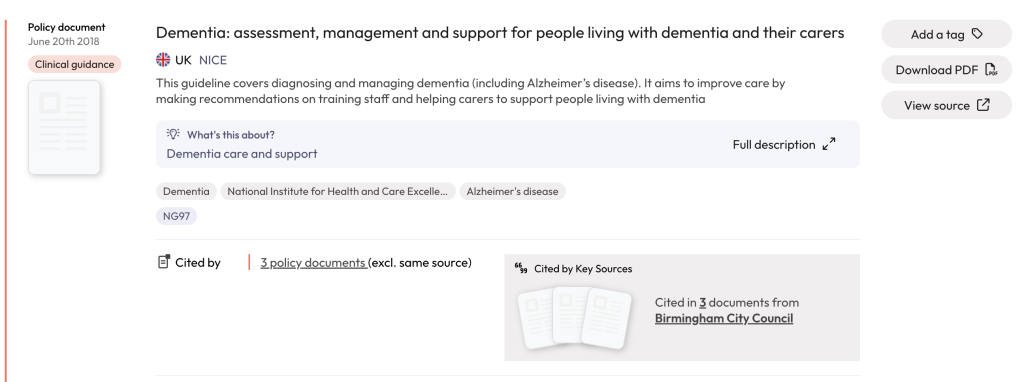
This article will help you understand the different elements of the policy document and grey literature search results.
Policy document records vs. PDFs in search results
You may notice there are 2 sets of numbers at the top of your search results.
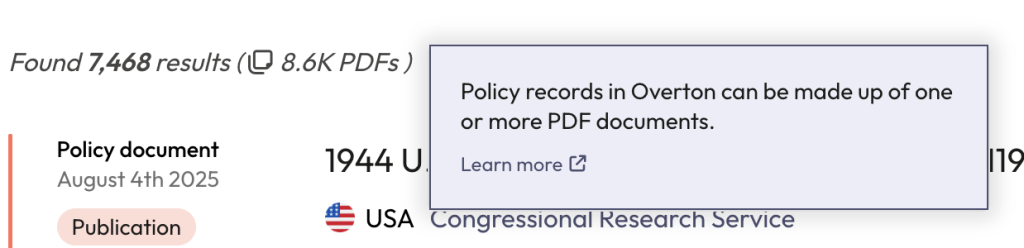
Results are the number of policy document records in your results set. A policy document could include multiple PDFs. This is common when a policy document includes multiple translations. A policy document record accounts for all the PDFs that make up a policy document and refers to them as a singular unit.
PDFs are the number of individual PDFs in your results set. A policy document record could be made up of multiple PDFs. When Overton talks about ‘policy documents’, we are referring to the PDF count (users will see this number reflected on the dashboard when they login) and not the policy document record count.
Video: How to read policy document results
This video will explain the different elements that make up a policy document result and the different types of results a user may come across in Overton.
Coloured bars in policy document results
Overton uses coloured bars to help users distinguish between the types of evidence found in a policy document.
The blue bar indicates the citation is from a scholarly output like a journal article.

The yellow bar indicates a mention of a person and their affiliation in the policy document.

A red bar indicates the citation is from a policy document.

A double red and blue bar occurs when a policy document has been given a DOI.

Identifying citations from key sources in results
Key sources is a customisable, user-curated list of policy sources. When an organisation has been cited in a policy document that comes from one of their “Key Sources,” a grey box will appear to the right of the policy document result.